

Download ICROWN: Play Anytime, Anywhere
Your Guide to Accessing ICROWN Games
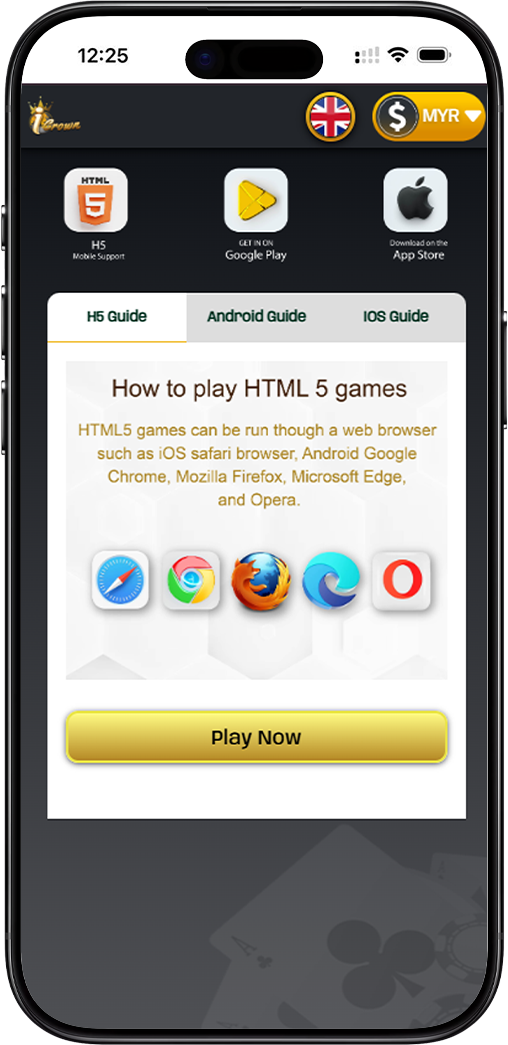
Option 1: Instant Play via HTML5 on ICROWN
Enjoy seamless gaming directly in your web browser with ICROWN's HTML5 platform. No download is required. It is compatible with Safari, Chrome, Firefox, Edge, and Opera on both mobile and desktop devices for instant access.
Option 2: Download the Official ICROWN Mobile App
For the optimal mobile experience, download the dedicated ICROWN app. Get it directly from trusted sources for enhanced features, smoother gameplay, and push notifications for the latest promotions.
How to Install the ICROWN App on Your Device
ICROWN Android Installation Guide
Android users can download the ICROWN APK directly. After downloading, simply click "Install" when prompted. Ensure you have allowed installations from unknown sources in your device settings to complete the setup for your ICROWN app.
ICROWN iOS Access Guide
iOS users can enjoy ICROWN by adding the website to their home screen. Using Safari, tap the share icon and select "Add to Home Screen." This creates an app-like icon for one-tap access to the full ICROWN HTML5 experience.
Maximize Your ICROWN Mobile Experience
Add ICROWN to Your Home Screen
For quick access, add ICROWN to your device's home screen. This shortcut provides app-like convenience, allowing you to launch your favorite games instantly without searching in your browser.
Enjoy Full Mobile Support with ICROWN
Whether you choose the app or HTML5, ICROWN offers full mobile support. Enjoy a wide range of games, secure banking, and live betting optimized for touchscreens and on-the-go play.
Start Playing ICROWN Today
Choose your preferred way to play. Download the official ICROWN app for a premium mobile experience or jump straight into the action with our instant-play HTML5 platform. Your next win is just a tap away.